How To unblock Youku Videos on android
How To unblock Youku Videos on android
Some videos are fine to watch, but many are inaccesible outside of China/region restriced. So does anyone know if there is any kind of VPN to get localised access to Chinese websites?
As one of the most popular video websites in China, Youku is available for you to watch hundreds of movies and TV series online free.Watch Youku Outside China
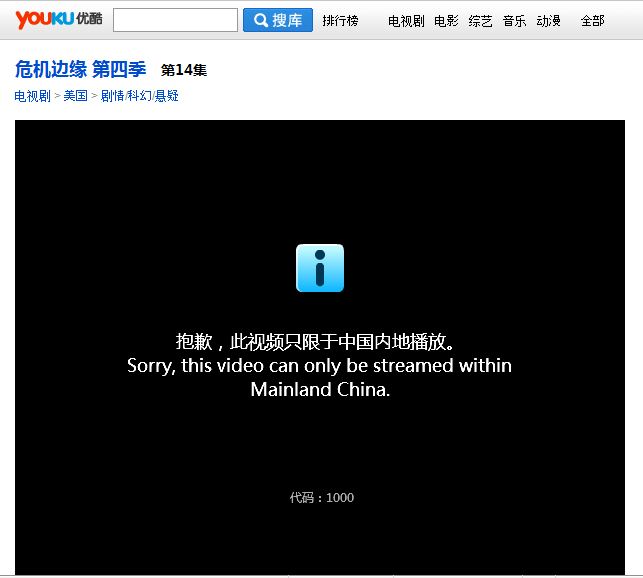
But all those videos are only available for Mainland China, as what you can see from the following image:
Luckily, where theres a will theres always a way, you can definitely watch Youku outside China.
unblock youku http://www.vpntraffic.com
You need watch Youku TV show on Android 4 Ice-cream Sandwich
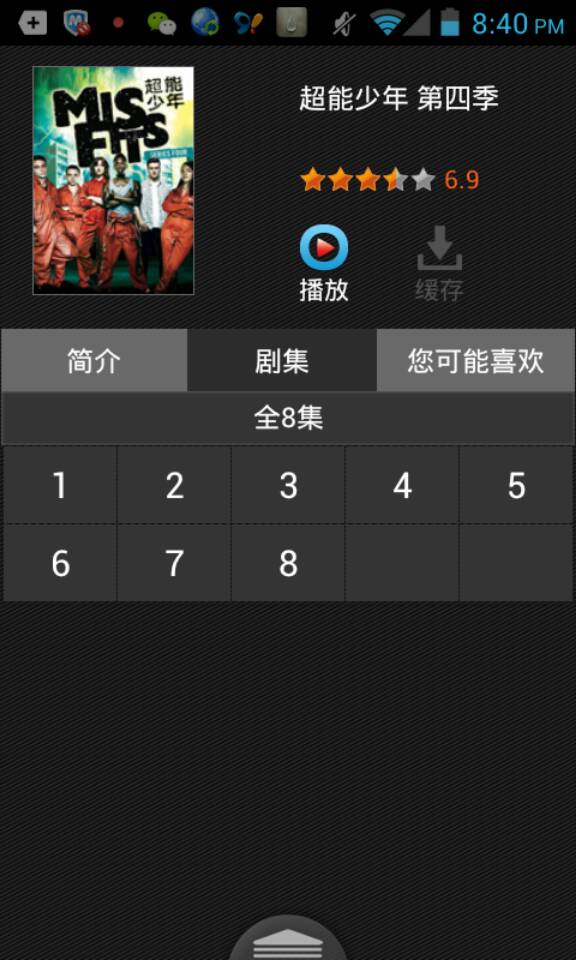

sorry , its not the modules fault.. however if you are planning to develop around youku, be aware that it is impossible to view youku from outside of China. I had no idea about this untill it was too late, and now must replan a lot of different things. Just a heads up from within china.
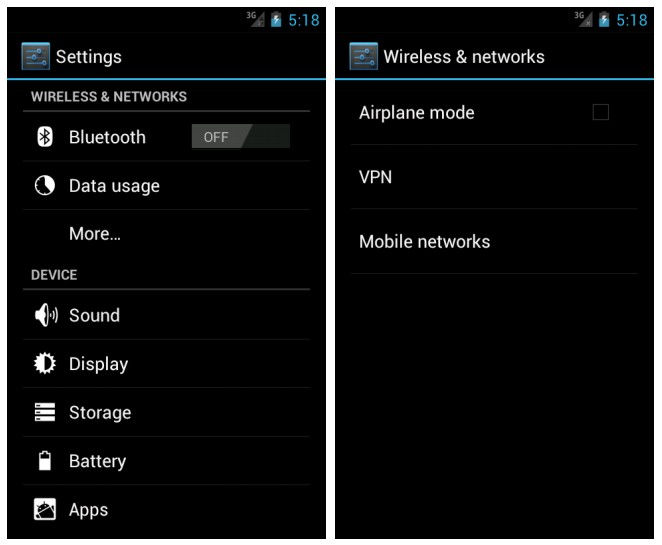
This tutorial walks through the necessary steps on setting up a Android 4 ICS IPSec VPN Xauth PSK connection on Android's Ice Cream Sandwich (ICS) devices. There is nothing to download, thanks to the built in Cisco IPsec VPN on on Android IcS.
From the Android's settings menu, under Wireless and Network go to More... -> VPN -> Add VPN network
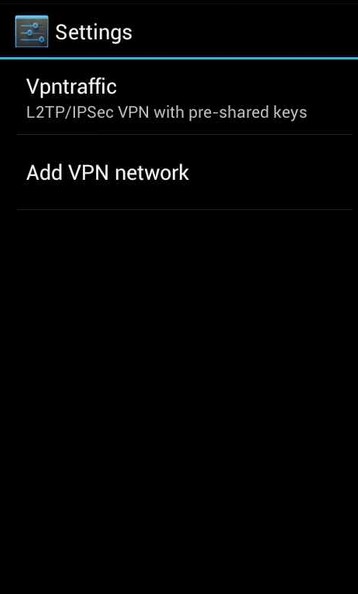
Select Add VPN Network.
Fill out the following settings under Edit VPN network:
- Name: We'll call it "Vpntraffic Cisco IPsec VPN" in our example, but it can be anything to help you remember the VPN connection.
- Type: Select "IPSec Xauth PSK" from the dropdown menu.
- Server address: cnipsec.vpntraffic.com ( not all server support l2tp/ipsec)
- IPsec identifer: ipsec
- IPSec pre-shared key : ipsec
- Tick the checkbox for Advanced options
- DNS servers: You can set this to use Google's DNS which is: 8.8.8.8
- Tap Save when finished
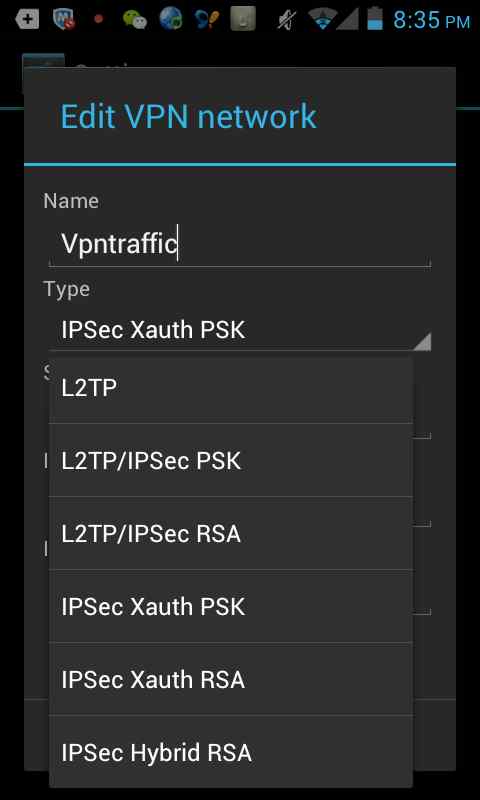
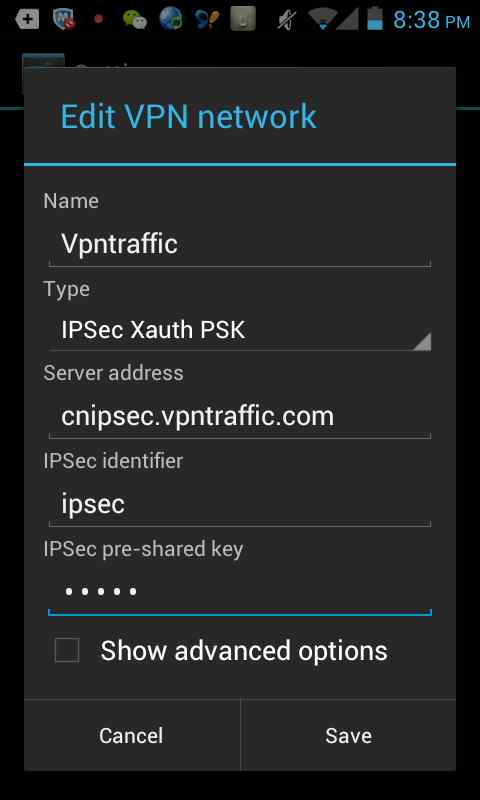
You should see your newly created connection listed under "VPN". Tap the connection name, and you will be prompted for your username and password.
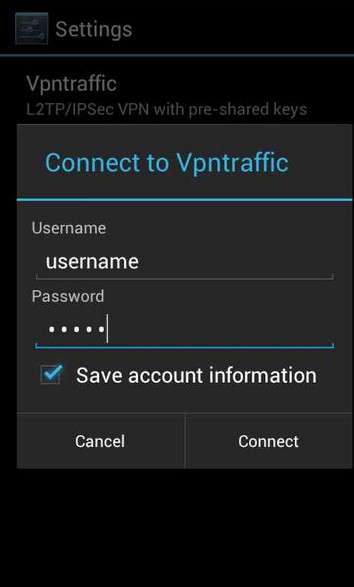
You should be back at the main "VPN" screen, and once the connection is successful you'll see a status of "Connected" under your connection name. The the connection name once conncted and you'll be able to see more details about your VPN connection status.
What you need is a VPN account !
Before you make an order, you can Trial our VPN Service for 3 days.
• Only $1.99
• High Speed
• All country server

• Only $1.99
• High Speed
• All country server

No comments:
Post a Comment
Note: only a member of this blog may post a comment.